How to Quote, Invoice and Get Paid with TradeCrew
From sign-up to getting paid, here is the whole flow, plus what is not built yet.
Sign Up & Set Your Rates
A few minutesCreate an account and answer a few questions. No lengthy forms, no calls with a sales rep.
- Sign up with your email, Google, or Apple
- Pick your trade: plumbing, electrical, HVAC, landscaping, roofing, general, or other
- Set your hourly labor rate
- Choose your materials markup: 0%, 10%, 15%, 20%, or enter your own
- Add your business name if you use one
- Connect Stripe from Settings when you are ready to accept card payments
Create & Send Quotes
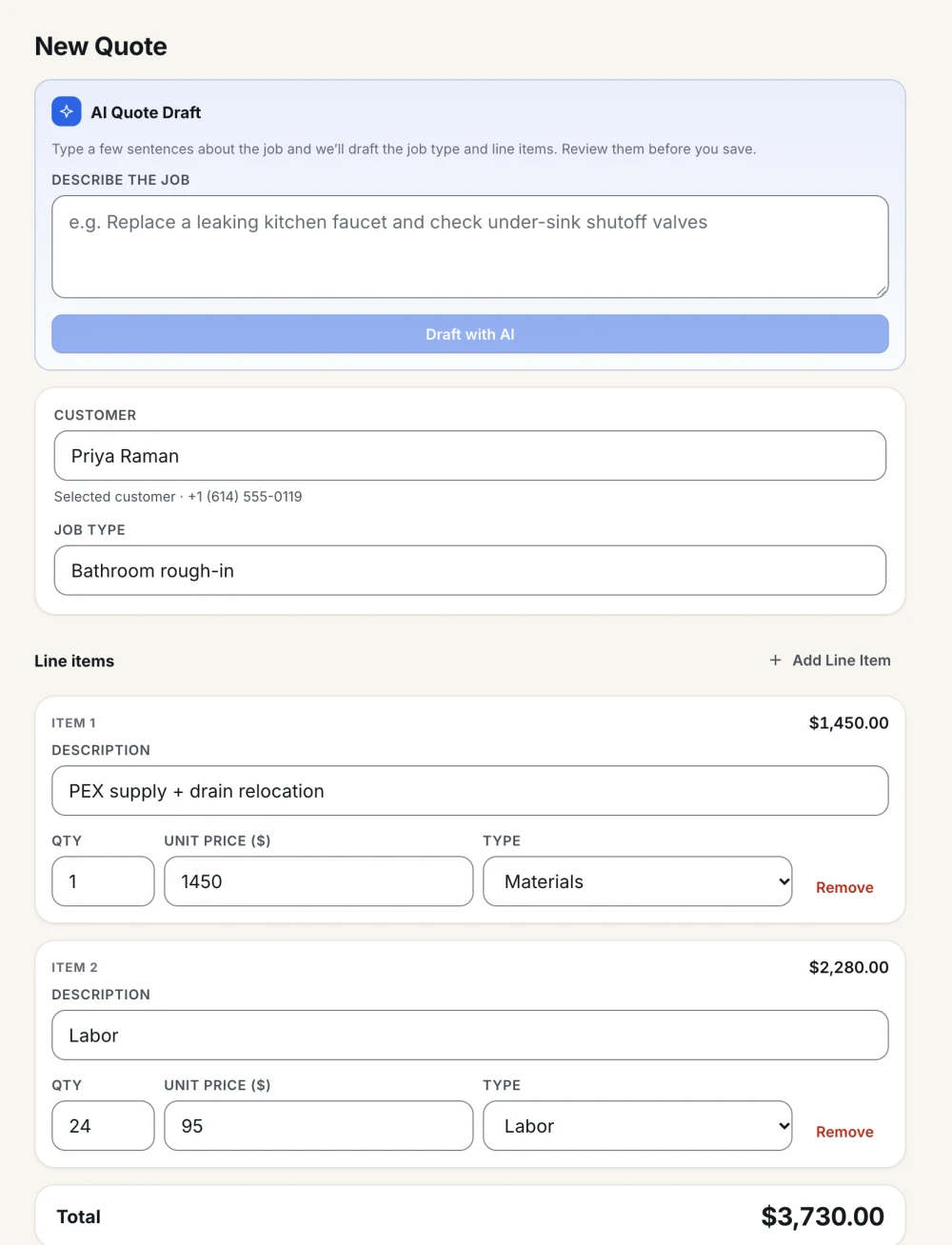
Professional quotes in minutesBuild itemized quotes that show customers exactly what they are paying for, before any work begins.
- Add line items for labor, materials, and other costs with quantities and prices
- Or type or paste a few lines about the job and AI drafts the line items. You review and edit them before saving
- Send the quote by email with one tap
- Your customer opens a link to review the full breakdown, then accepts or declines
- Track the status: Draft, Sent, Accepted, or Declined
Invoice & Get Paid
1.2% platform fee, nothing hiddenOnce a customer accepts your quote, turning it into an invoice is a single tap.
- One tap converts the accepted quote into an invoice. Nothing to re-enter
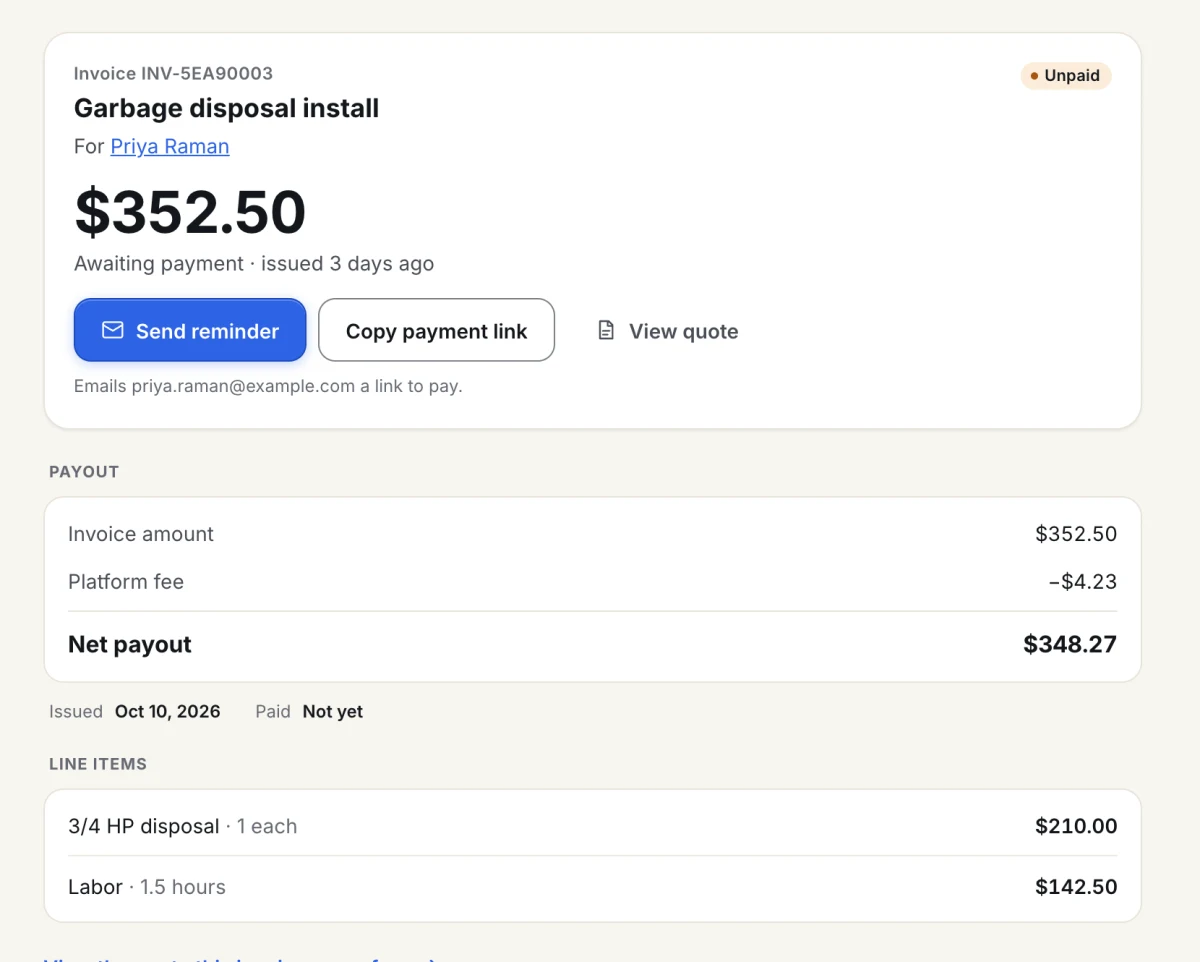
- Your customer gets a secure payment link by email, and you can copy the link to send it yourself
- They see the itemized breakdown before they pay
- Customers pay by card through Stripe
- Send a reminder email from the invoice if it is still unpaid
- You receive the invoice total minus the 1.2% platform fee: $988 on a $1,000 invoice
Collect Customer Ratings
Early accessTradeCrew rates a job on six dimensions instead of one star score. Ratings are in early access, so parts of this are still being built.
- Customers rate 6 dimensions: Quality, Honesty, Reliability, Communication, Cleanliness, and Fairness of Price
- A weighted composite score is calculated for you. Quality and honesty count most
- "Would hire again?" is tracked separately as a yes or no
- You can reply to every review
- TradeCrew does not send rating requests automatically yet
What TradeCrew does not do yet
We would rather you hear it here than find out on a job. This is what is not built.
Working offline
TradeCrew needs a connection. Quotes and customers created without one are not synced yet.
Deposits and payment terms
An invoice is the full accepted quote. There are no deposit, due-date, or payment-terms fields yet.
Text messages and push alerts
TradeCrew does not text your customers, and it does not alert you when a customer accepts a quote.
Automatic ratings and public profiles
Rating requests are not sent automatically yet, and there are no public contractor profiles or score lookups.
Ready to see it in action?
Start your first quote, free. No card required.
Start your first quote, free